Reputation Management: How to Steer Your Online Reputation on Google
Your reputation decides whether customers choose you. With solid reputation management you keep track of your Google reviews, respond confidently and report policy-violating ones. This guide shows you how to do it systematically.
- 1 free credit to start
- No subscription required
- Purchased credits never expire
Reading time for the whole guide, with a quick answer for those in a hurry right in the first chapter.
General information. No legal advice and no assessment of individual reviews.
- 7 chapters
- 7 questions and answers
- As of: July 2026
- Google decides
01Quick answer
What is reputation management?
Reputation management is the ongoing process by which businesses monitor, maintain and protect their online reputation. Google reviews are a central building block: you track new reviews, respond to them professionally and report policy-violating reviews to Google. Sternehero automates the reporting part as a self-service tool – Google checks every report and decides independently.
Four building blocks make up active reputation management: monitoring reviews, responding, actively building them up, and reporting policy-violating ones.
Today, online reputation is largely formed on Google: the star rating, the number and the content of reviews are often the first impression prospects get of you. Reputation management makes sure that impression matches reality.
It is not about making unwelcome opinions disappear. Permissible criticism stays online – and a good response to it often has more impact than the criticism itself. You can step in where reviews violate Google's policies.
That is exactly what Sternehero is built for: you select policy-violating reviews without customer contact, confirm the missing contact – and the software automatically submits your report to Google.
02Building blocks
The four building blocks of reputation management
Good reputation management consists of four recurring tasks. Sternehero supports you above all with the last one – reporting policy-violating reviews.
Monitor
You keep an eye on new Google reviews across all your locations, instead of discovering them by chance.
Respond
You reply to reviews promptly and factually. This shows everyone reading how your business handles feedback.
Build actively
You continuously earn genuine reviews from satisfied customers, so that individual negative voices carry less weight.
Report
You report reviews that violate Google's policies – such as no customer contact, fakes or insults. Google checks and decides.
03Process
How do you build reputation management systematically?
- 1
Assess your starting point
You get an overview: star rating, number of reviews and recurring themes in the reviews.
- 2
Connect your profile
You connect your Google Business Profile to Sternehero and see all reviews centrally in one dashboard.
- 3
Respond to reviews
You answer new reviews promptly – the free response generator helps you with the wording.
- 4
Report policy-violating reviews
You select reviews without customer contact, confirm the missing contact and submit your report to Google. 1 credit = 1 report submission.
- 5
Stay on it
You keep earning new reviews and keep an eye on incoming ones. Reputation management is a process, not a one-off project.
04Speed
>80%
Over the last 12 months, Google removed more than 80% of the reports submitted via Sternehero within 15 minutes.
In individual cases the review takes a few days. The decision rests solely with Google.
05Comparison
Paid service provider or self-service tool?
Review service providers usually handle the report for a fee. Sternehero automates the reporting process as a self-service tool at fixed prices per credit. In both cases Google decides whether the review is removed.
| Criterion | Other providerstypical market offers | With SterneheroSelf-service tool |
|---|---|---|
| Commissioning | Request by email or phone, often with follow-up questions | Reported yourself in a few clicks |
| Pricing structure | Pricing model and amount vary by provider, often only on request | Fixed price per credit, visible upfront: from €7 per submission* |
| Status of your reports | You often wait for a response | Status of every report in the dashboard |
| Control | You often hand over the process | You select every report yourself |
| Who decides? | Google.No provider changes that. | |
* in the 250 package, net plus 19% VAT. The comparison refers to typical market offers from review service providers; individual providers may differ. You can still report reviews directly to Google yourself. The decision on every report rests solely with the respective platform.
06Start free
Start free with 1 free credit
You create an account, connect your Google Business Profile and submit your first report, entirely without payment details. You only buy credits once you actually need them.
- No subscription required
- Free credit valid for 30 days
- Purchased credits never expire
For agencies
Offer reputation management as an agency
Your clients are asking for help with bad Google reviews? With Sternehero you offer reputation management as a scalable service – compliant with German legal-services law, as self-service or as a white-label solution under your own brand. That way you serve your clients' demand without manually handling every review yourself.
White label with your own domain is included in the Pro plan. The reseller program starts via a waitlist.
Next steps
Review management: the operational part
Reputation management is the broad term – the concrete managing, answering and reporting of your Google reviews is called review management. Read how that works in detail here.
07FAQ
Frequently asked questions about reputation management
Question not listed? Write to us or read the general FAQ.
It includes monitoring new reviews, responding to them professionally, actively building up genuine reviews and reporting policy-violating reviews to Google. The goal is a profile that fairly reflects your business.
No. Permissible, critical reviews stay online. Only reviews that violate Google's policies are removed – and even then only if Google confirms the report after its own assessment.
Sternehero is billed via credits: 1 credit = 1 report submission. Packages start at 5 credits at €24 per credit, larger packages from €7 per credit (net plus VAT). Credits do not expire. You pay for the submission, not for the result.
Not necessarily. Many tasks – monitoring, responding, reporting – you can handle yourself with a tool like Sternehero. An agency makes sense when you lack the time or capacity.
No. Sternehero is a self-service software tool that automates the reporting process. There is no legal assessment and no legal advice. For legal questions, please consult a specialist lawyer.
Google checks many reports within minutes and then removes policy-violating reviews directly. In individual cases the review takes up to seven days. You track the status in real time in your dashboard.
Yes. In Sternehero you manage multiple locations centrally and keep track of reviews across all branches. Multi-location review management is especially suited to chains and franchises.
No matching question found. Ask us directly.
Guides
Related guides
 Managing Restaurant Reviews: The Practical Handbook for RestaurateursRead the guide
  Online Reputation for Doctors and Practices: Review Management Under Medical ConfidentialityRead the guide
 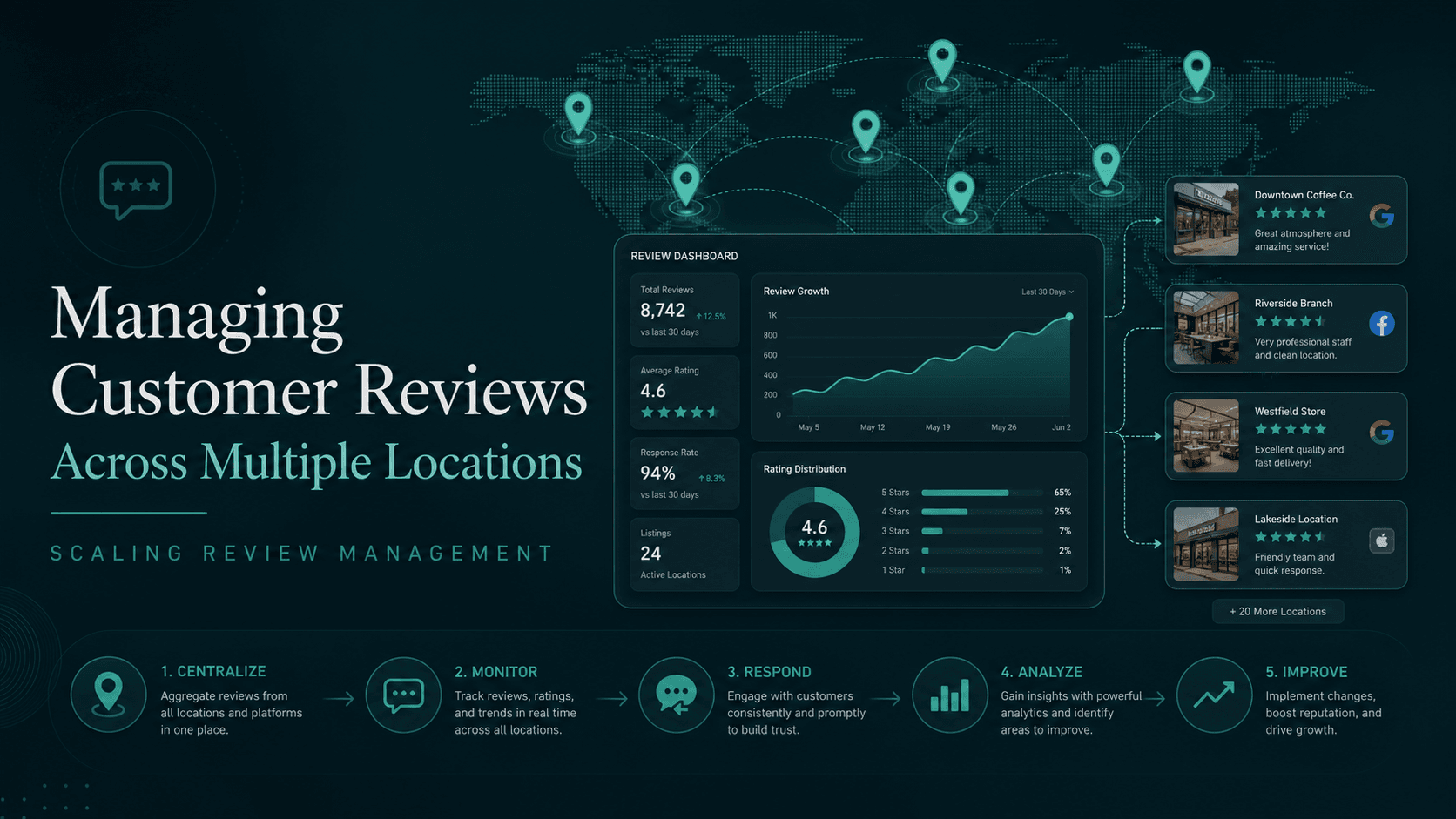 Multi-Location Review Management: How to Scale Reviews Across 5, 50 or 500 BranchesRead the guide
  Crisis Communication for Review Waves: The 72-Hour PlaybookRead the guide
  Replying to Google Reviews the Right Way: The 4-Rule Method for More ConversionRead the guide
  Local SEO Agency: Reviews as the Underrated PillarRead the guide
Ready in a few minutes
Take control of your Google reputation
You monitor your reviews, respond to them and report policy-violating ones – the software submits your report to Google. Google decides.
- 01Create an account
- 02Connect your Google profile
- 03Submit your first report, in a few minutes
Sternehero does not provide legal advice. The decision whether a review is removed rests solely with the respective platform.