Review Management: Manage and Report Google Reviews Centrally
Scattered reviews, no overview, no time to respond? With systematic review management you manage all your Google reviews in one place, respond efficiently and report policy-violating ones. This guide shows how it works in practice.
- 1 free credit to start
- No subscription required
- Purchased credits never expire
Reading time for the whole guide, with a quick answer for those in a hurry right in the first chapter.
General information. No legal advice and no assessment of individual reviews.
- 7 chapters
- 7 questions and answers
- As of: June 22, 2026
- Google decides
01Quick answer
What is review management?
Review management is the systematic managing of your customer reviews on platforms like Google: you keep an eye on new reviews, respond to them, actively earn new ones and report policy-violating reviews. With software like Sternehero you manage all reviews centrally in one dashboard and submit reports – Google decides on every removal.
Leaving reviews to chance wastes potential: reviews influence whether prospects call, book or scroll on – and they affect your local visibility on Google.
Review management turns reactive clean-up into a fixed process: you see new reviews immediately, respond to them consistently and spot policy-violating reviews faster.
Sternehero handles the reporting part for you: you select reviews without customer contact, confirm the missing contact – and the software automatically submits your report to Google.
02Building blocks
What does review management include?
Modern review management bundles several tasks into one tool. With Sternehero you cover these areas centrally:
Central dashboard
You see all the Google reviews of your locations in one place – instead of clicking through individual profiles.
Respond to reviews
You react quickly and consistently. The AI-assisted response generator suggests fitting wording that you approve.
Report policy-violating reviews
You report reviews without customer contact, fakes or insults directly from the dashboard. 1 credit = 1 report submission.
Multiple locations
You manage branches, locations or clients centrally and keep track of all reviews.
Status & reporting
You track every report in real time – Submitted, Under review, Removed or Rejected – and keep an eye on the development.
03Process
How does review management with Sternehero work?
- 1
Connect your profile
You connect your Google Business Profile and see all reviews centrally in the dashboard.
- 2
Review your reviews
You get an overview and recognise which reviews need a response and which may violate the policies.
- 3
Respond
You react to new reviews – efficiently with the AI response generator, which you approve before publishing.
- 4
Report policy-violating reviews
You select reviews without customer contact, confirm the missing contact and submit your report to Google.
- 5
Track the status
You see in real time what happens with each report and keep an eye on your reputation over the long term.
04Speed
>80%
Over the last 12 months, Google removed more than 80% of the reports submitted via Sternehero within 15 minutes.
In individual cases the review takes a few days. The decision rests solely with Google.
05Comparison
Paid service provider or self-service tool?
Review service providers usually handle the report for a fee. Sternehero automates the reporting process as a self-service tool at fixed prices per credit. In both cases Google decides whether the review is removed.
| Criterion | Other providerstypical market offers | With SterneheroSelf-service tool |
|---|---|---|
| Commissioning | Request by email or phone, often with follow-up questions | Reported yourself in a few clicks |
| Pricing structure | Pricing model and amount vary by provider, often only on request | Fixed price per credit, visible upfront: from €7 per submission* |
| Status of your reports | You often wait for a response | Status of every report in the dashboard |
| Control | You often hand over the process | You select every report yourself |
| Who decides? | Google.No provider changes that. | |
* in the 250 package, net plus 19% VAT. The comparison refers to typical market offers from review service providers; individual providers may differ. You can still report reviews directly to Google yourself. The decision on every report rests solely with the respective platform.
06Start free
Start free with 1 free credit
You create an account, connect your Google Business Profile and submit your first report, entirely without payment details. You only buy credits once you actually need them.
- No subscription required
- Free credit valid for 30 days
- Purchased credits never expire
For agencies
For businesses and agencies
Whether you run a single business or look after many clients as an agency: Sternehero scales with you. Manage reviews of multiple locations or clients centrally – as a white-label solution under your own brand if you wish.
White label with your own domain is included in the Pro plan. The reseller program starts via a waitlist.
Next steps
Review management is part of reputation management
Managing your reviews is one building block of the larger task of looking after your entire online reputation. You'll find the strategic overview in the reputation management guide.
07FAQ
Frequently asked questions about review management
Question not listed? Write to us or read the general FAQ.
Review management refers specifically to managing customer reviews, for example on Google. Reputation management is the broader term for looking after your entire online reputation. Reviews are one of its most important building blocks.
The focus is on Google reviews, because that is where the most important part of the public impression is formed for most local businesses. You manage and report your Google reviews centrally.
You cannot delete someone else's reviews directly. But you can report policy-violating reviews to Google. Google checks every report and decides independently on removal – there is no guarantee.
With Sternehero you pay per report: 1 credit = 1 report submission. Packages start at 5 credits at €24 per credit, larger packages from €7 per credit (net plus VAT). Credits do not expire.
Yes. You manage any number of locations centrally in one dashboard. For chains and franchises there are dedicated multi-location management features.
The AI-assisted response generator suggests fitting replies that you check and approve before publishing. That keeps quality in your hands while reducing the effort.
Google checks many reports within minutes and then removes policy-violating reviews directly. In individual cases it takes up to seven days. You see the status in real time in the dashboard.
No matching question found. Ask us directly.
Guides
Related guides
 Review Management Tools 2026: The Comparison for AgenciesRead the guide
 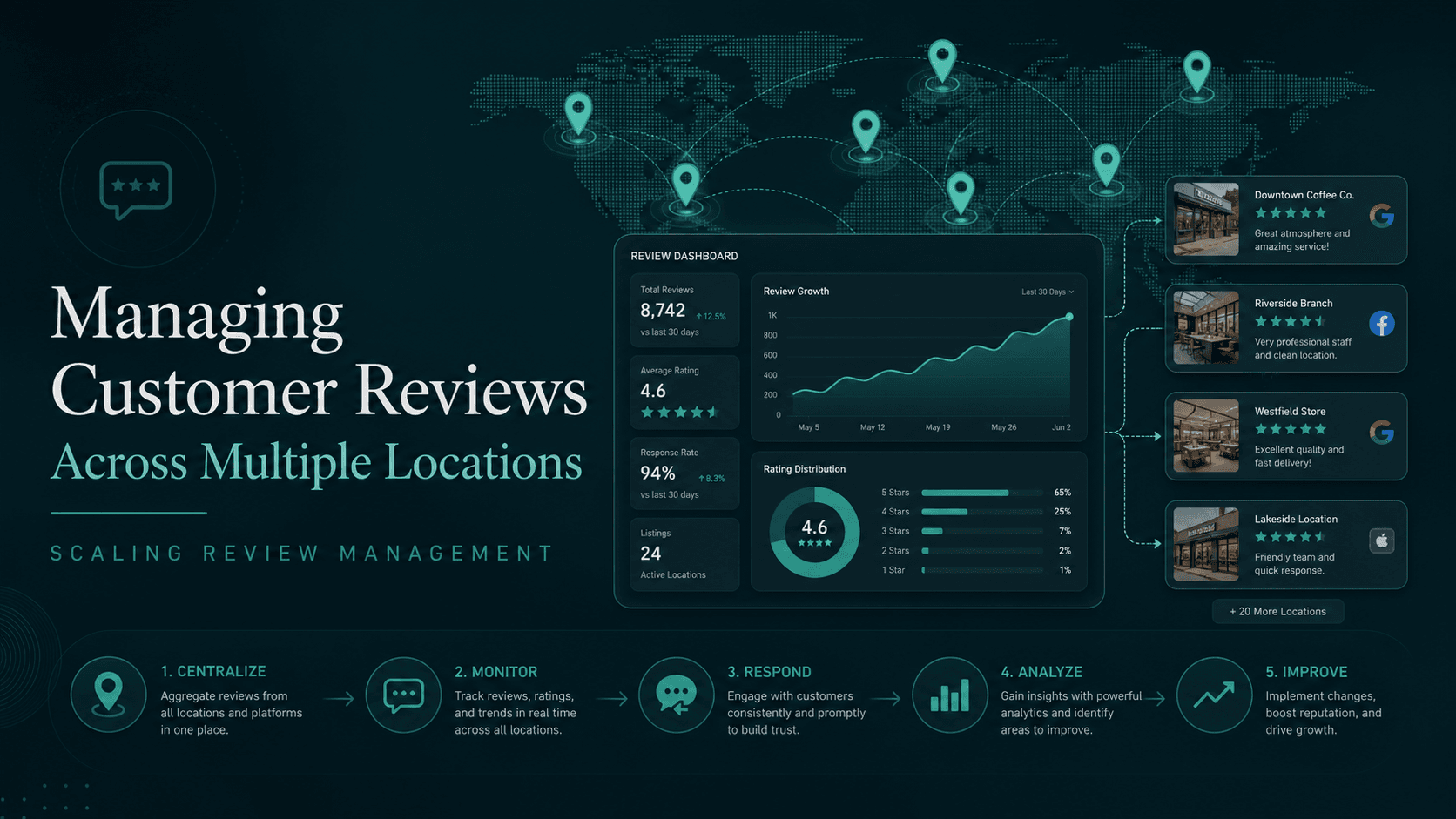 Multi-Location Review Management: How to Scale Reviews Across 5, 50 or 500 BranchesRead the guide
  Replying to Google Reviews the Right Way: The 4-Rule Method for More ConversionRead the guide
  Google Maps Ranking: How Reviews Really Affect Your Local Pack PositionRead the guide
  Optimising Google My Business in 2026: 14 Levers for More Local Pack VisibilityRead the guide
  Spotting Fake Reviews: 5+2 Patterns You Can Expose in Under 60 SecondsRead the guide
Related pages
This topic in context: the sister pages of this guide.
Ready in a few minutes
Bring structure to your Google reviews
You manage all reviews centrally, respond to them and report policy-violating ones – the software submits your report to Google. Google decides.
- 01Create an account
- 02Connect your Google profile
- 03Submit your first report, in a few minutes
Sternehero does not provide legal advice. The decision whether a review is removed rests solely with the respective platform.