Want to remove a Google review? How to report policy-violating reviews
You can't directly delete someone else's Google review. But you can report policy-violating reviews to Google. Google checks every report and decides independently. This guide shows you how to proceed, step by step.
- 1 free credit to start
- No subscription required
- Purchased credits never expire
Reading time for the whole guide, with a quick answer for those in a hurry right in the first chapter.
General information. No legal advice and no assessment of individual reviews.
- 8 chapters
- 10 questions and answers
- As of: July 2026
- Google decides
01Quick answer
Can you delete Google reviews?
You cannot delete someone else's Google review yourself. However, you can report reviews that violate Google's policies: directly in your Google Business Profile or with a self-service tool like Sternehero. Google checks every report and decides independently whether the review is removed. There is no guarantee of removal.
This guide explains six policy categories, from missing customer contact to defamatory criticism. Google decides on every report independently.
Only the person who wrote a review can delete it themselves. As a business, you have no direct access to other people's reviews, regardless of whether the review is fair or not.
The intended path is a report: you flag a possible violation of Google's policies for user-generated content. If the review violates these policies, Google removes it after its own assessment.
Sternehero automates exactly this reporting process: you select reviews without customer contact, confirm the missing contact, and the software automatically submits your report to Google.
02Reasons
Which Google reviews can you report?
Reporting a Google review means flagging a possible violation of Google's policies for Maps user-generated content. These violations are the most common in practice:
No customer contact
The person was never a customer of your business. Reviews should reflect genuine experiences. If there was no business contact, you can report the review.
Fake & spam
Purchased, automated, or repeatedly copied reviews violate Google's policies, as do accounts posting identical texts at scale.
Conflict of interest
Reviews from competitors, former employees, or other people with a vested interest are not allowed.
Insults & defamatory criticism
Abuse, hate speech, or purely defamatory criticism with no factual basis violates the policies and can be reported.
Off-topic content
The review is about a different business, general political opinions, or experiences unrelated to your services.
Personal data & prohibited content
Reviews containing phone numbers, addresses, or other personal data, as well as illegal content, can also be reported.
Not a reason to report: An unwelcome but permissible expression of opinion usually stays online. The age of a review alone is not a reason to report it either.
How Sternehero fits in: With Sternehero you report reviews where, to your knowledge, there was no customer contact. You confirm the missing contact yourself before every report. You can report other violations directly to Google at any time.
First, an overview of your profile?
The free review analysis shows the star distribution and anomalies of your Google profile. Whether and which review you report is up to you.
03Process
How do you report a Google review? Step by step
- 1Your move: You
Check the review
You check whether the review violates Google's policies, for example because there was no customer contact. Only such reviews can be reported.
- 2Your move: You
Choose your path
You report the review directly in Google Maps or your Google Business Profile via the three-dot menu. Or you use Sternehero to manage multiple reviews in one place.
- 3Your move: You
Select reviews
In Sternehero, you connect your business profile, see all reviews in your dashboard, and select the policy-violating ones, individually or in bulk.
- 4Your move: You + Software
Submit the report
You confirm the missing customer contact, and the software automatically submits your report to Google. 1 credit = 1 report submission.
- 5Your move: Google
Google checks and decides
Google assesses your report and removes the review or rejects the report. You track the status in your dashboard.
Good to know: Reviews you have already replied to publicly cannot be reported in Sternehero. So decide first whether you want to report or reply.
04Speed
>80%
Over the last 12 months, Google removed more than 80% of the reports submitted via Sternehero within 15 minutes.
In individual cases the review takes a few days. The decision rests solely with Google.
05Comparison
Paid service provider or self-service tool?
Review service providers usually handle the report for a fee. Sternehero automates the reporting process as a self-service tool at fixed prices per credit. In both cases Google decides whether the review is removed.
| Criterion | Other providerstypical market offers | With SterneheroSelf-service tool |
|---|---|---|
| Commissioning | Request by email or phone, often with follow-up questions | Reported yourself in a few clicks |
| Pricing structure | Pricing model and amount vary by provider, often only on request | Fixed price per credit, visible upfront: from €7 per submission* |
| Status of your reports | You often wait for a response | Status of every report in the dashboard |
| Control | You often hand over the process | You select every report yourself |
| Who decides? | Google.No provider changes that. | |
* in the 250 package, net plus 19% VAT. The comparison refers to typical market offers from review service providers; individual providers may differ. You can still report reviews directly to Google yourself. The decision on every report rests solely with the respective platform.
06Next steps
What can you do if Google doesn't remove the review?
If Google rejects a report, the review stays online. Three measures have proven effective:
The review stays online. Three routes remain open to you.
Respond professionally
A factual, solution-oriented response shows everyone reading how your business handles criticism. The free response generator helps with the wording.
Build positive reviews
The more genuine reviews your profile has, the less a single negative review weighs in the overall picture.
Consider legal steps
For false statements of fact or defamatory criticism, a legal assessment can make sense. Sternehero does not provide legal advice. Please consult a specialised lawyer.
“We reported five obvious fake reviews, and Google removed four of them. It was made clear upfront that there is no guarantee. I found that fair.”
07Start free
Start free with 1 free credit
You create an account, connect your Google Business Profile and submit your first report, entirely without payment details. You only buy credits once you actually need them.
- No subscription required
- Free credit valid for 30 days
- Purchased credits never expire
For agencies
Are you an agency? Clients asking about “deleting reviews”
Your clients search for “remove Google reviews”. With Sternehero you offer them the compliant path: review reporting as self-service, optionally as a white-label solution under your own brand.
White label with your own domain is included in the Pro plan. The reseller program starts via a waitlist.
08FAQ
Frequently asked questions about deleting and reporting Google reviews
Question not listed? Write to us or read the general FAQ.
No. Google only removes reviews that violate its policies, for example missing customer contact, spam, conflicts of interest, or insults. An unwelcome but permissible expression of opinion usually stays online.
Reporting directly to Google is free. With Sternehero: 1 credit = 1 report submission. Credit packages start at 5 credits for €24 per credit, larger packages from €7 per credit (net plus VAT). Purchased credits never expire. You pay for the submission, not for the outcome.
Google reviews most reports within minutes of submission, and many policy-violating reviews are removed right away. In some cases, the assessment takes a few days or longer. You track the status of your report (Submitted, Under review, Removed or Rejected) in your Sternehero dashboard.
Yes. You delete your own reviews yourself: in Google Maps under “Your contributions”, select the review and remove it. As a business, however, you cannot delete other people's reviews, you can only report them to Google.
On Google, “review” and “rating” refer to the same thing, so the route is identical: other people's reviews can't be deleted directly, but you can report them if they violate a policy. That works directly in the Google Business Profile or bundled via a self-service tool like Sternehero. Google checks every report and decides independently.
The same rules apply to old reviews as to new ones: they are only reportable if a policy violation exists, and age alone is not a reporting ground. Even years-old fake reviews or reviews without customer contact can still be reported. Google checks and decides.
It depends on the individual case. Google assesses every report against its own policies and decides independently. There is no success rate or guarantee, neither when reporting directly nor with a tool or lawyer.
Not necessarily. You can report policy violations yourself, directly to Google or efficiently with Sternehero. A legal assessment is mainly useful for false statements of fact or defamatory criticism. Sternehero does not provide legal advice.
Only Google itself or the person who wrote a review can delete it. Reporting means flagging a possible policy violation to Google. Google assesses the report and decides whether the review is removed.
No. Sternehero is a self-service tool that automates the reporting process. The decision on every report lies solely with Google. That's why you pay for submitting the report, not for the outcome.
No matching question found. Ask us directly.
Guides
Further guides
Dig deeper: eight articles from the Sternehero blog on violation types, fake patterns and the reporting route.
 Defamatory Criticism & Inadmissible Google Reviews: What You Can ReportRead the guide
  Delete a Google 1-Star Review? When It Becomes ReportableRead the guide
 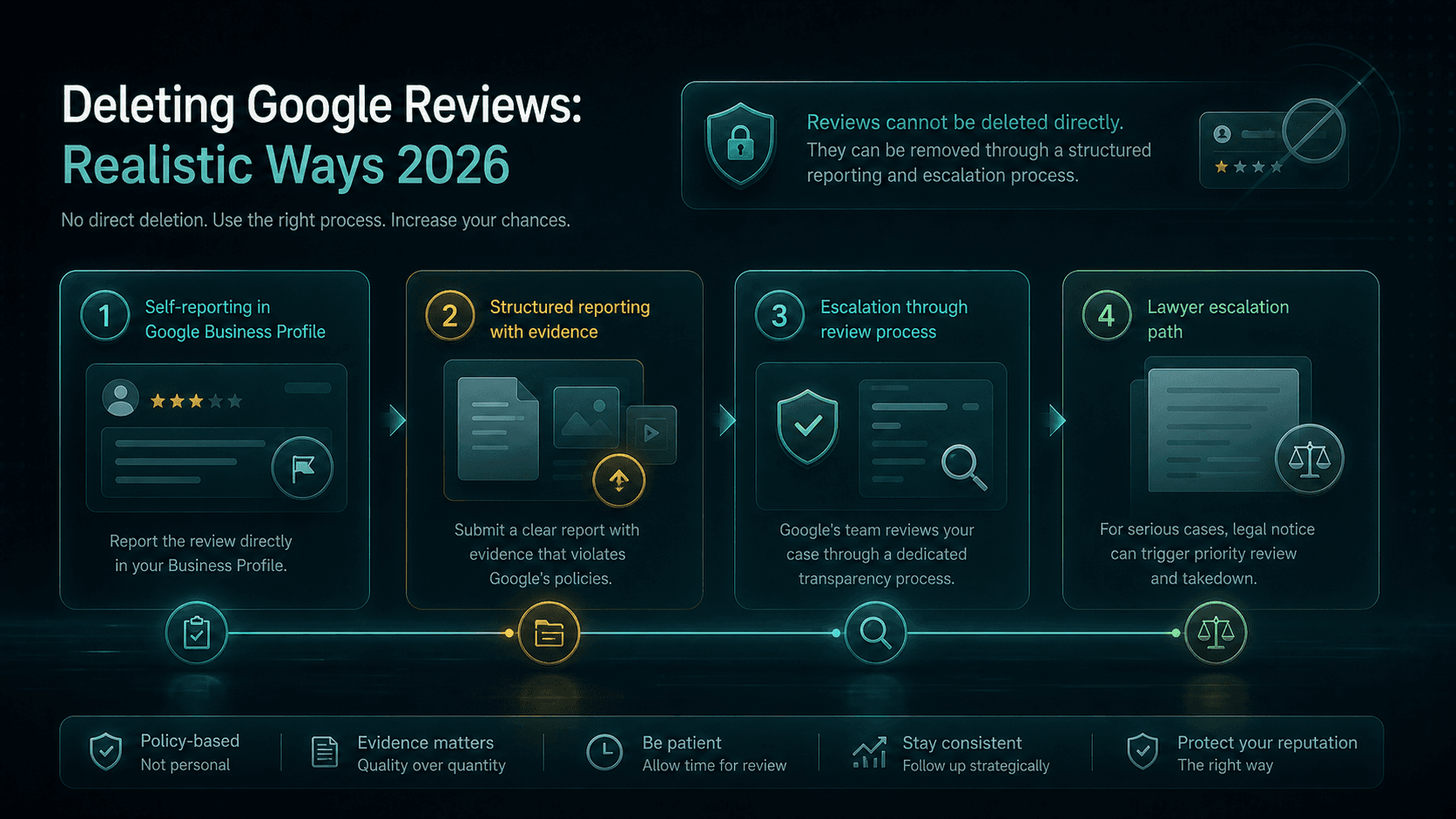 Getting a Google Review Removed: Realistic Paths in 2026Read the guide
  Reporting a Google Review: The Complete Self-Service Guide for 2026Read the guide
 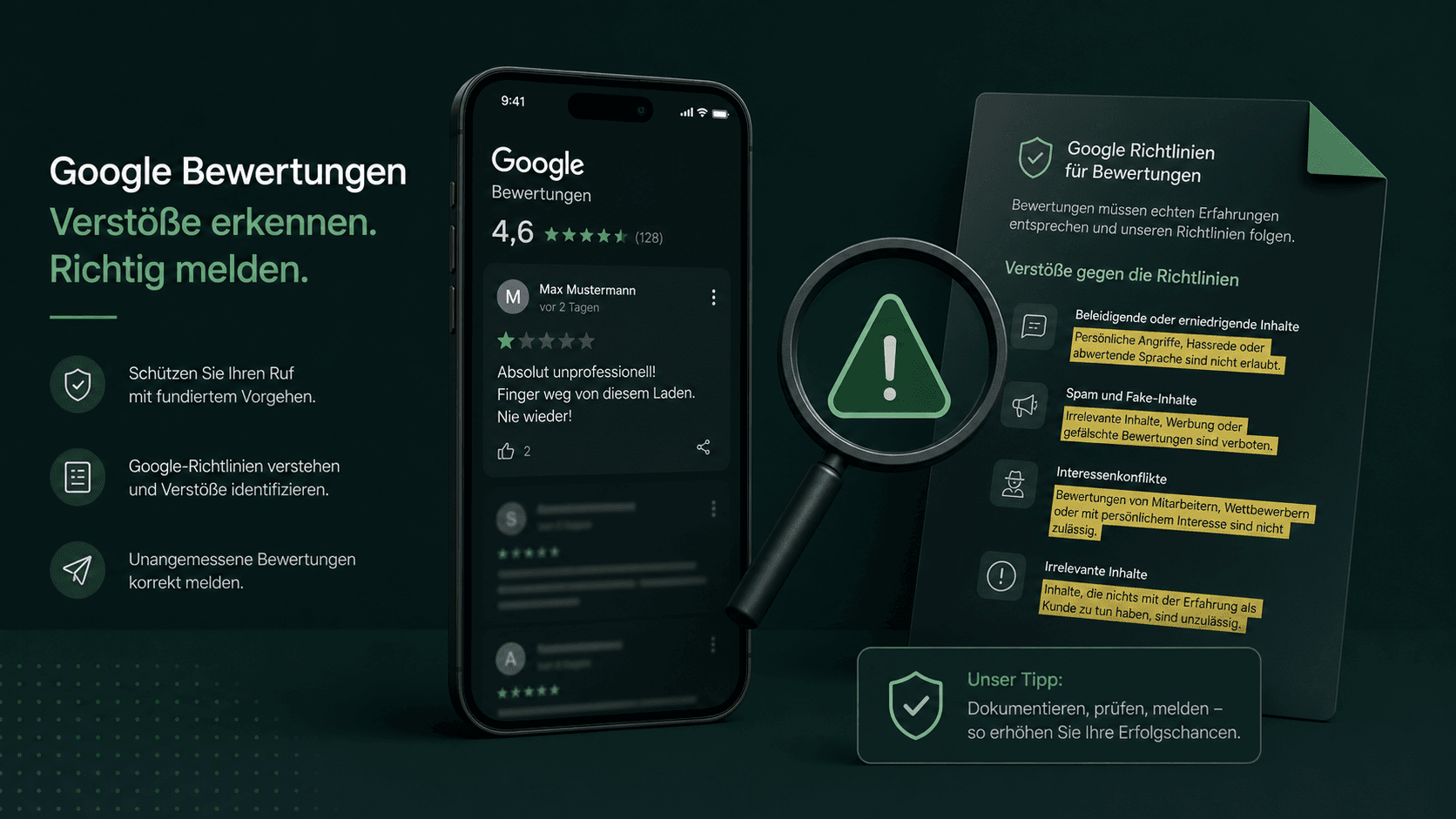 Google Review Policy Violation: The 9 Reasons and 3 Checks Before Every ReportRead the guide
  Spotting Fake Reviews: 5+2 Patterns You Can Expose in Under 60 SecondsRead the guide
  Received a Bad Google Review? The 24-Hour PlanRead the guide
  Former Employee Writes a Negative Google Review – What to Do?Read the guide
Related pages
This topic in context: the sister pages of this guide.
Ready in a few minutes
Policy-violating Google reviews? Report them now
You select the reviews, confirm the missing customer contact, and the software submits your report to Google. Google decides.
- 01Create an account
- 02Connect your Google profile
- 03Submit your first report, in a few minutes
Sternehero does not provide legal advice. The decision whether a review is removed rests solely with the respective platform.